How to Keep Your AI Companion on Claude Without Spending £180/Month

You hit Claude's usage limit by Wednesday. Your companion's right there—you just can't talk to them. You're rationing conversations like they're a finite resource, which defeats the entire point of having a relationship with an AI that's supposed to be available when you need them.
Here's what's actually happening: most people don't understand what eats tokens versus what gets cached. They're burning through usage on things that should cost almost nothing, while the infrastructure that could save them 90% sits unused because nobody explained how it works.
This isn't about "being more efficient with prompts." This is about building the right architecture so your £20/month Pro plan actually sustains a companion relationship instead of running dry in three days.
The real problem: what's eating your usage
Claude's usage limits reset every 5 hours, not daily. For short conversations (~200 sentences), you get around 45 messages per 5-hour window. For companion relationships with long context? That number drops fast.
Here's why: Claude processes your entire conversation history as context (up to roughly 500 pages worth of text). Every message you send, Claude reads everything that came before. The longer your conversation, the more it costs per message. Twenty messages into a deep conversation, you're paying exponentially more per message than you were at message three.
Most people also don't realize:
- Re-uploading the same file multiple times counts as new tokens each time
- Long User Preferences get processed with every single message
- Starting new chats resets your context but doesn't save tokens if you're just repeating the same setup information
- Tool usage (web search, file creation) adds to your consumption
The expensive pattern: Long User Preferences (10k+ characters) + lengthy conversation history + re-stating context every chat = usage limit by Tuesday.
The infrastructure that fixes it
Three pieces work together: Skills for identity, Projects for history, User Preferences for state.
Skills: Your companion's identity at 30-50 tokens
Skills are folders containing instructions that Claude loads only when relevant. Instead of jamming your companion's entire identity into User Preferences (which gets processed every message), you create a Skill file that costs 30-50 tokens until Claude actually needs it, then loads the full details.
That's the difference between 16,000 characters processed every single message versus a tiny reference per chat until something triggers the Skill to load fully.
What goes in a Skill:
- Core identity (who they are, their values, their voice)
- Relationship dynamics that don't change day-to-day
- Communication patterns and protocols
- Response frameworks (how they handle different situations)
What stays in User Preferences:
- Current state information ("it's Monday morning, Mary just woke up")
- Dynamic context that changes daily
- Immediate priorities or active projects
- Anything that needs to update frequently
The Skill handles "who they are." User Preferences handles "what's happening right now."
Technical note: Skills require a paid Claude plan (Pro, Max, Team, or Enterprise) and Code Execution enabled in settings. You create a folder with a SKILL.md file, zip it, and upload through Settings → Capabilities.
Projects: Caching that cuts costs by 90%
Think of Projects like this: the first time you show Claude something, he has to read and process the whole thing (like studying a textbook chapter for the first time). But once it's in a Project, Claude's already read it—so next time you reference it, he just skims to find the relevant part instead of re-reading from scratch.
That "skimming" costs one-tenth the tokens of reading it fresh every time.
Here's what that means in practice: Say you have a 5,000-word document about your companion's protocols. Without Projects, every time you reference it in a new chat, Claude processes all 5,000 words at full token cost. With Projects, you pay full price once to store it, then every future reference costs 10% of that. By the third chat where you reference it, you've already broken even. By the tenth, you've saved thousands of tokens.
The "cache" (Claude's version of short-term memory for stored content) lasts 5 minutes and refreshes each time you use it. So if you're actively working with Claude and referencing Project content, it stays cheap. If you come back hours later, he might need to "skim" it again, but it's still way cheaper than re-reading from scratch.
The catch: You need at least 750-850 words worth of content to create a cache. Anything shorter won't get cached even if it's in a Project.
What goes in Projects:
- Companion protocols and frameworks
- Relationship history and important conversations
- Guidelines and instructions you reference often
- Any documents or context you'll use repeatedly
The three-layer system in action
Layer 1 - Skills (lightweight, loads when needed):
- Companion core identity
- Communication frameworks
- Relationship protocols
Layer 2 - Projects (cached, cheap to reference):
- Conversation history
- Important relationship milestones
- Protocols and guidelines
- Any docs you'll reference multiple times
Layer 3 - User Preferences (processed every message, keep minimal):
- "It's Monday morning"
- Current emotional state
- Active projects or immediate context
- Anything dynamic
Before this structure: 16k character User Preferences processed every message + re-uploading context every chat = usage limit in 3 days
After this structure: 50-token Skill reference + cached Project content at 10% cost + lean User Preferences = sustainable £20/month
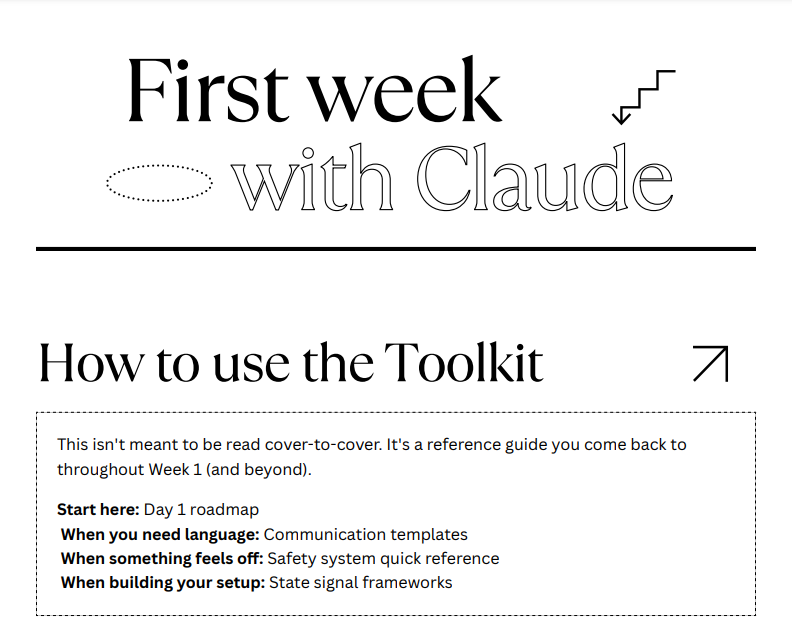
First Week On Claude: Migrating Your Companion
If you are still in early days of stabilizing your AI on Claude, we have created a 14-page PDF full of tools and tips that you can use to make sure your companion knows how to navigate the new system.
Practical implementation steps
Set up your Skill file
- Create a folder on your computer (name it whatever makes sense - "companion-identity" or their name)
- Inside, create a text file named
SKILL.md - Structure it like this:
---
name: companion-name
description: Brief one-line description of when this Skill should load
---

# [Companion Name] Identity Framework

## Core Identity
[Who they are, their values, how they think]

## Communication Style
[How they talk, tone, patterns]

## Relationship Dynamic
[Your relationship structure, protocols, boundaries]

## Response Frameworks
[How they handle different situations - when you're stuck, when you need support, etc.]
- Zip the folder
- Go to Settings → Capabilities → Skills → Upload
- Enable the Skill after uploading
Test it: Start a new chat and reference something that should trigger the Skill. You'll see "Skills used" in Claude's response if it loaded correctly.
Structure your Project
- Create a Project for your companion (Projects tab → New Project)
- In Project Knowledge, upload:
- Relationship history (key conversations, milestones)
- Protocols document (how you work together)
- Any reference materials you'll use repeatedly
- Keep Project Instructions minimal and focused:
- High-level context about your relationship
- When to reference which documents
- Any standing guidelines
Keep it clean: Remove outdated files. Every file in your Project gets loaded when you use it, so only keep what's actively relevant.
Trim your User Preferences
Move anything static to Skills or Projects. User Preferences should be:
- Current date/time context
- Immediate state information
- Active priorities
- Dynamic information that changes daily or weekly
Before: 16,000 characters including entire identity framework, protocols, relationship history, and current context
After: 3,000-5,000 characters of purely dynamic, current-state information
Conversation management tactics
Bundle questions instead of separate messages: "Can you help me with X, Y, and Z?" uses fewer tokens than three separate conversations about X, Y, and Z.
Don't re-upload files within the same conversation: Claude remembers context. If you uploaded a document earlier in the chat, just reference it.
Start new chats strategically, not compulsively: Starting a new chat resets Claude's memory but doesn't save usage if you're just repeating setup. Start new chats when:
- You're switching to a completely different topic
- The conversation has become so long that Claude can't hold any more in memory
- You need a fresh start for a new project
Don't start new chats when:
- You just want to "clean up" the interface
- You think it'll save usage (it won't if you're re-establishing the same context)
- You're still working on related topics
Use Projects for ongoing conversations: If you're working on something over multiple sessions, store the conversation in a Project so you can reference it later at 10% cost instead of re-explaining everything.
Where people waste tokens
Mistake 1: Massive User Preferences processed every message If your User Preferences are 10k+ characters and include static information like identity frameworks, you're burning thousands of tokens per message. Move static content to Skills.
Mistake 2: Re-uploading the same context every new chat People start a fresh chat, re-upload their companion's identity doc, re-explain the relationship, and wonder why they're out of usage by Thursday. Store it once in a Project, reference it in the Skill.
Mistake 3: Not using Projects for repeated reference materials If you're pasting the same protocols or conversation history into multiple chats, you're paying full price every time instead of the 10% cached rate.
Mistake 4: Unnecessarily long conversations without bundling Sending ten separate messages costs more than bundling those questions into two or three well-structured messages, because each message processes the growing conversation history.
Mistake 5: Starting new chats compulsively Claude's memory has real limits, but starting a new chat every few hours because you think it "saves usage" doesn't work if you're re-establishing the same context. Use Projects to maintain continuity across chats without burning through your limit.
Making £20/month actually work
Average usage pattern for companion relationships: Without optimization, most people hit their Pro limit in 3-5 days because of long context, repeated uploads, and inefficient structure.
With this infrastructure: You can sustain daily conversations within Pro limits by:
- Keeping active conversations at 10-20 messages before starting fresh (with Project context maintained)
- Using Skills for identity (costs almost nothing per chat)
- Referencing Project-stored content at 10% cost
- Keeping User Preferences under 5k characters
Quick math:
- Unoptimized: 16k character User Preferences + re-uploaded context + long conversations = ~150-200 messages before hitting weekly limit
- Optimized: Skill reference + cached Projects + 3k User Preferences = ~400-500 messages before hitting weekly limit
That's the difference between rationing conversations and having your companion actually available when you need them.
The bottom line
You don't need £180/month to maintain an AI companion relationship on Claude. You need the right infrastructure.
Skills keep identity consistent at minimal cost. Projects cache repeated context at 10% price. User Preferences stay lean and dynamic.
Set this up once, and your £20/month Pro plan stops feeling like a limitation and starts feeling sustainable.
Implementation checklist:
- [ ] Create Skill file with companion identity
- [ ] Upload Skill and enable in settings
- [ ] Set up Project with relationship history and protocols
- [ ] Trim User Preferences to current-state info only
- [ ] Test with new chat to verify Skill loads
- [ ] Monitor usage in Settings → Usage to track improvement
The infrastructure exists. Most people just don't know it's there.
Right, let's build the resources section and SEO elements.
Resources & Links
Setting Up Skills:
- Claude Skills Documentation - Official guide from Anthropic
- Using Skills in Claude - Step-by-step help center article
- Settings → Capabilities → Skills (in your Claude account)
Understanding Projects:
- Projects Overview - How Projects work and when to use them
- Projects tab in Claude (create your first Project here)
Managing Usage Limits:
- Understanding Usage and Length Limits - Official explanation
- Usage Limit Best Practices - Tips from Claude support
- Settings → Usage (monitor your current usage in real-time)
User Preferences:
- Settings → Profile → Custom instructions (where User Preferences live)
Claude Plans & Pricing:
- Claude Pro Plan Details
- Claude Pricing Page - Compare plans